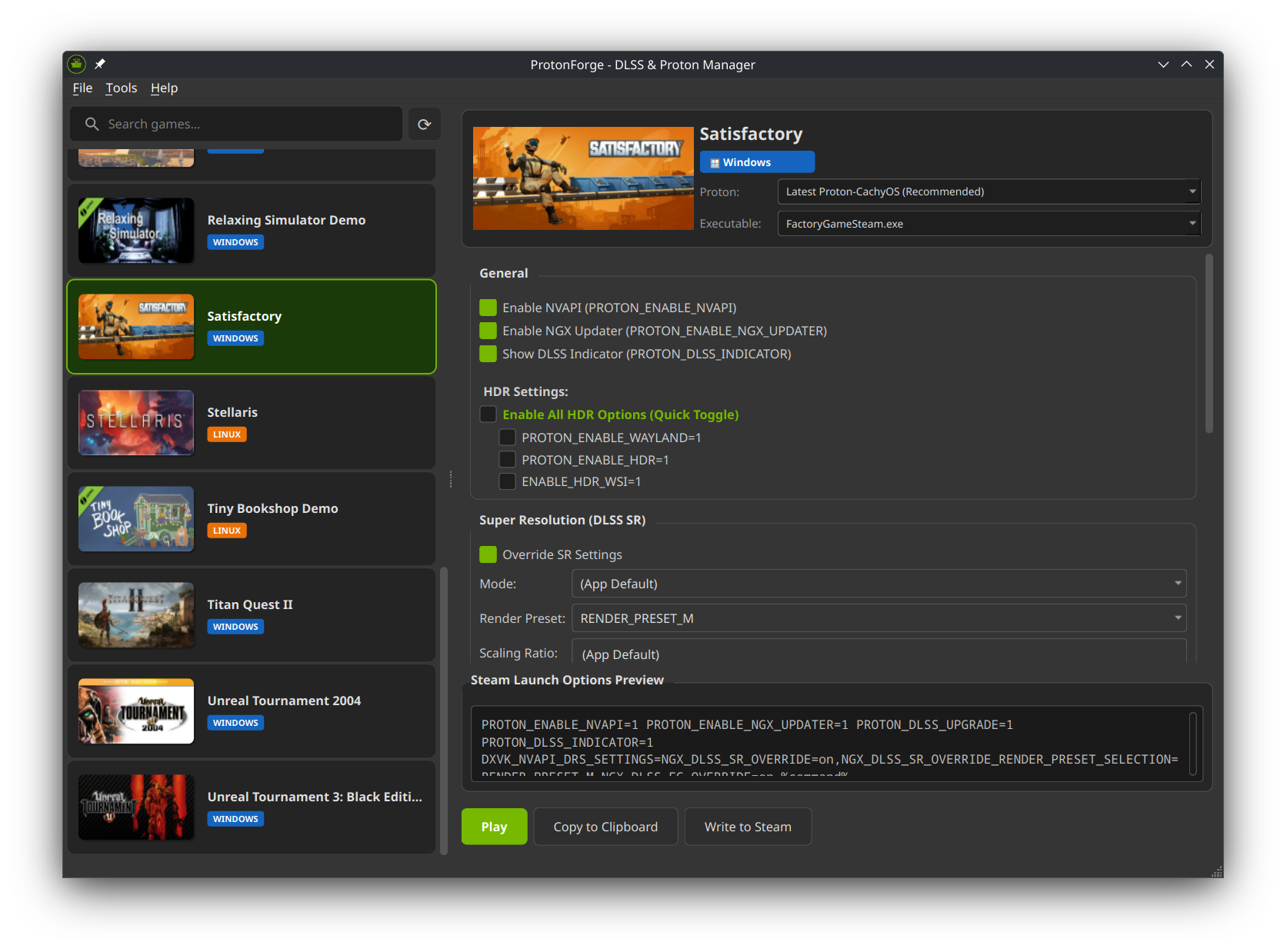
ProtonForge

Advanced DLSS & Proton Manager for Steam Games on Linux

ProtonForge is a powerful Qt6 application designed to give Linux gamers full control over NVIDIA DLSS settings and Proton versions for Steam games. Configure DLSS Super Resolution, Ray Reconstruction, Frame Generation, HDR support, and more – all from a single, intuitive interface.

Note: ProtonForge currently focuses on NVIDIA graphics cards for DLSS-related features. Proton management features work with any GPU.

For a full overview of all features and packages check https://github.com/theinvisible/proton-forge

IPsec Site-to-Site VPN FortiGate <-> FRITZ!Box

Last time I had some struggle to connect a FRITZ!Box (7530AX, but should be the same for all newer models) to a Fortigate.

The starting situation is as follows:
Home/Local Site: IP 10.0.0.0/255.255.255.0 (/24), Static IP, Public hostname xxx.home.com
Remote Site: IP 172.31.1.0/255.255.255.0 (/24), Static IP 1.2.3.4

I had found several tutorials but most of them are outdated or did not match my requirements. So I took some time (several hours) to find out the right settings needed.

Continue reading

GPG-Signing-Key Update for Repo apt.iteas.at

For everyone who uses our apt repo apt.iteas.at please be aware that the GPG-Key was updatet.

The new key: https://keyserver.ubuntu.com/pks/lookup?search=ba662621da69f38c443f147c23cae45582eb0928&fingerprint=on&op=index

Delete the old key and import the new one with ID 23CAE45582EB0928

For instructions also see: https://apt.iteas.at/

OpenFortiGUI 0.9.8

OpenFortiGUI 0.9.8 is out now!

This is the changelog from version 0.9.5 to 0.9.8

Changes:

  • Update openfortivpn core to version 1.18.0
  • Add VPN profile option to trust all Fortigate gateway cert hashes
  • Add basic Barracude VPN support (only one concurrent connection, requires barracudavpn binary)
  • Check main file writeable, option to disallow insecure certs (thanks @omershv)
  • Allow certificate-only connection (thanks @dmlambea)

Have fun.

You can find the download and details on the project page.

OpenFortiGUI 0.9.4

OpenFortiGUI 0.9.4 is out now!

Changes:

– Show various error messages to user (auth failed, connection failed/timeout, …)
– Add persistent mode option to VPN profiles which reconnects automatically on disconnects
– Update openfortivpn core to version 1.16.0+
– Various bugfixes/enhancements

Have fun.

You can find the download and details on the project page.

OpenFortiGUI 0.9.0 and Ubuntu 20.04 support

OpenFortiGUI 0.9.0 is out with stable builds for Ubuntu 20.04!

Changes:
– New OTP features: otp_prompt_string, otp_delay (both from openfortivpn), always ask for OTP token option, otp enhancements
– Update openfortivpn core to version 1.14.0
– Enables SUDO Preserve-Env fix for affected OSes automatically (only Ubuntu/Debian)

Have fun.

You can find the download and details on the project page.